Tracy Durnell: My Reading Philosophy in 17 Guidelines

I love all 17 guidelines in Tracy Durnell’s reading philosophy.

Two highlights jump out at me.

  • “Read according to whim.” Just read whatever the heck you want to read. Classics, trash, whatever.
  • Quit reading a book whenever it stops working for for you. Tracy’s rule is “Quit nearly as many books as I finish.” I finish 90-95% of the books that I start and you know what? I think I should be quitting more books. Because I think quitting more books would mean that I’m trying to read a greater diversity of books.

Gradually over time in my adulthood, I found I was reading fewer and fewer books. I got back in the habit a few months ago, and I’m happy about that.

Many adults don’t read books, and if you’re one of those and would like to start, you could do worse than follow these rules.

Small changes in daily activity levels, like doing a little more walking, stair-climbing, chores around the house, and gardening, can burn a lot of calories and have major health benefits. It’s called NEAT—non-exercise activity thermogenesis.

Getting ready for the (actual)(non-metaphorical) storm

I was kicking myself because I only thought to stock up on water this afternoon, and was sure the stores would be sold out. But I decided to try a couple of stores anyway (being mindful that we also need to conserve gas in the car, in case we need to evacuate). First supermarket I went to had stacks and stacks of water bottles in front. I bought five gallons.

We have plenty of people and animal food, meds, flashlights, external power supplies for electronics, and we’ve moved large but blowable items into shelter or tied them down. The backyard actually looks better than it has in years. It previously looked like some kind of ghastly graveyard for lawn furniture.

A couple of the neighbors across the street have small piles of sandbags strategically placed at the corners of their driveways. That’s not a problem for us; the slope of the street directs water away from the front of the house. Julie says the slope of the backyard directs water into the crawlspace under the house in heavy rain, but it’s too late to do anything about that now.

My prediction is much of this preparation will be unnecessary. We’ll get minor damage. I expect we won’t lose power, water, cable or TV. On the other hand, moving and securing blowables was definitely necessary, because we could well get record heavy rain and wind, and stuff tends to blow around even in normal winter storms.

But it’s good to be prepared for worse than you expect.

Rain predicted to maybe start at 2 am, with winds picking up Sunday early afternoon and continuing through mid-evening.

I’m hoping to do my normal morning walk tomorrow, but may give the dog a break.

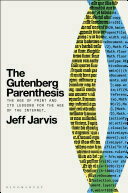
Finished reading: The Gutenberg Parenthesis by Jeff Jarvis 📚A thoughtful history of five centuries of print as dominant form of information dissemination, culture and conversation, now closing (hence the parenthesis metaphor) and the internet era now dawning.

Preparing for the hurricane

We got the front and back of the house as clear as we could of items that might blow around. Julie did most of the work on that. We have enough food in the house to last a few days. Later today, I’ll check to be sure we have plenty of potable water and that the electronics are charged. I have been thinking for some time of getting a solar-powered battery for electronics, maybe I’ll order something today and it will arrive in time for next time. Longer term, we should put in batteries that can power the whole house.

The fun starts at 2 am, according to the weather forecast. Today is actually a beautiful day, cool and calm and overcast.

Notwithstanding the preparations, I’m optimistic the storm will fizzle. But best to plan for worse.

The pizza delivery guy says the weather outlook is changing rapidly and he is optimistic that when the storm hits it will be weak so that’s good.

This weekend we’re supposed to get a hurricane and an invading army of lustful tarantulas. How does your weekend look to be shaping up?

Finder stealing focus on the Mac: Fixing the problem with help from ChatGPT

Yesterday morning, I was typing happily on my Mac when I noticed the cursor disappeared. I was typing but no text was appearing. I determined that another app was stealing focus. The problem app was the Finder. I figured this out through the simple expedient of watching the menu bar to see which app jumped to the foreground when the problem came up.

This was going on every minute or so. Very annoying! I continued working like that all day, just Cmd-Tabbing back after the Finder stole focus. Around 4 pm I decided enough was enough.

After trying several possible solutions, I resolved the problem by rebooting in safe mode.

A couple of other things I tried before that:

  • Of course I tried Googling, and got the usual mishmash of confusing forum responses and just plain wrong search results. Completely unhelpful.
  • I asked ChatGPT.

Interestingly, ChatGPT’s answer was wrong but led me in the right direction.

ChatGPT’s first suggestion was a complete hallucination—it suggested disabling a feature in Finder through a menu setting that simply does not exist.

It suggested resetting Finder preferences. I followed the instructions (this time they were accurate) and that did not solve the problem.

It suggested incompatible hardware might be to blame. I gradually disconnected stuff from my MacBook until I was running it in pure MacBook mode—no external keyboard, no external storage devices, no external display, and so on. That didn’t solve the problem either.

ChatGPT mentioned third-party software twice, which led me to restart the Mac in safe mode. Safe mode accomplishes two things: Restarts the Mac without starting third-party software, and also performing some system maintenance. I suspect the system maintenance is what worked.

This is a five-year-old MacBook and I expect I’ll have to replace it soon enough. But it will survive another day!

This post is primarily for the benefit of anybody coming after me Googling “Finder stealing focus on Mac.” Good luck, my friend! I hope my advice helps you fix your problem.